1 · The short answer
Run two lines. Your own SIM stays on as the line for calls and texts, with its data roaming off, so your number keeps ringing and your bank's codes keep arriving. A travel eSIM carries the data, with its data roaming on. Ringo Light is built for exactly this: a data-only eSIM that sits next to your own SIM, and its Global plan is $49.99 a month for 133 countries, renewing until you cancel.
The setup takes two minutes on any phone made in the last few years. The thinking is the part worth getting right: which line does what, what each one can cost you, and the three or four apps that care which number you have.

2 · Which line does what
Swipe to compare →
The split matters because roaming charges come from your own carrier, and almost all of the scary ones are for data. With data off on your own line, the only roaming it can still do is ring and receive texts, which is what you kept it for. The eSIM has a price you paid up front and cannot run up a bill on your home account.
3 · iPhone, step by step
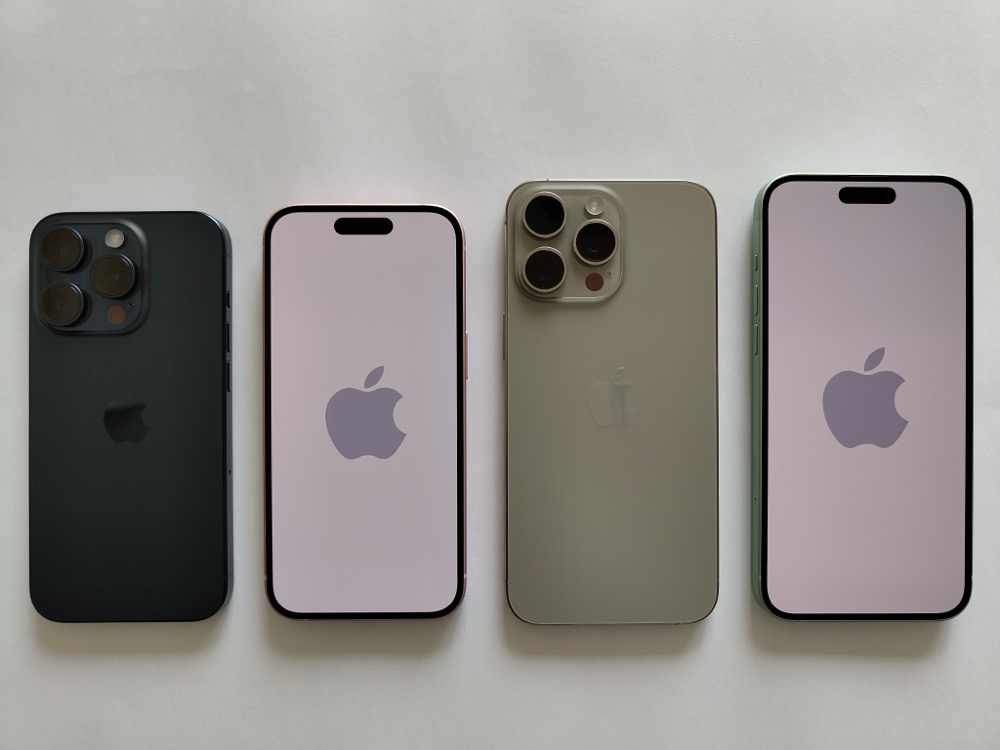
Every iPhone from the XS and XR runs two lines, a SIM and an eSIM; from the iPhone 13 on, two eSIMs work at once too. Once the travel eSIM is installed:
- Open Settings, then Mobile Service (Cellular in the US; Mobile Data on older iOS). Give each line a label: Home and Travel, say. It makes every later screen readable.
- Tap Default Voice Line and choose your own line. Calls you start and texts you send go out from your number.
- Tap Mobile Data and choose the travel eSIM. Switch Allow Mobile Data Switching off, so the phone does not fall back to your own line's data when the eSIM signal dips.
- Tap your own line and switch Data Roaming off. Leave the line itself on.
- Tap the travel eSIM and switch Data Roaming on. That is how a travel eSIM connects.
- In Settings, Messages, Send and Receive and in FaceTime, check that your phone number is ticked, so iMessage keeps using it.
Two sets of bars at the top of Control Centre mean both lines are live. Calls and texts to your number still reach you; everything else runs on the eSIM.
4 · Android, step by step
Android phones with an eSIM, the Pixel 3 and later, the Galaxy S20 and later and most recent flagships, ask the same three questions in their own words.
- Pixel: Settings, Network and internet, SIMs. Set Calls preference and SMS preference to your own SIM and Mobile data to the eSIM. Then open each SIM's page: Roaming off on yours, on for the eSIM.
- Samsung: Settings, Connections, SIM manager. Under Preferred SIMs, set Calls and Text messages to your own SIM and Mobile data to the eSIM. Leave Auto data switching off. Then Connections, Mobile networks, Data roaming: on for the eSIM, off for yours.
- OnePlus, Oppo, Xiaomi, Motorola: the same settings live under Mobile network or Dual SIM settings. Look for a default for calls, one for SMS, and one for data.
If the phone offers "Ask every time" for calls, it is worth choosing your own SIM outright. A call placed from the data eSIM has nowhere to go.

5 · Bank codes and two-factor texts
This is the reason most people keep their own line on, and it works for a simple reason: texts travel over the network signal, not over data. As long as your own line is switched on and registered on a local partner network, a code sent to your number arrives, with data roaming off and the travel eSIM doing all the data.
- Check your carrier allows roaming at all. Some prepaid and budget plans block roaming entirely unless you switch it on in your account. With roaming barred, your line shows No Service abroad and no texts arrive.
- Give it time after landing. Your own line registers abroad separately from the eSIM. Before you log in to anything, check it shows a network name.
- Move what you can to an app. A bank app's own approval or an authenticator app does not depend on texts at all. Set them up at home, where a failed code is easy to fix.
- Do not swap your SIM out. Taking your own SIM out, or switching the line off for the trip, is the one move that stops codes arriving.
Some banks and services refuse to send codes to any number while it is roaming in certain countries, or route them badly. It is rare, it is not something a phone setting fixes, and it is another reason to have the app route ready.

6 · WhatsApp, iMessage and the rest
WhatsApp is tied to the number you registered it with, not to whichever SIM carries the data. Switch data to the eSIM and WhatsApp carries on as you: same number, same chats, same contacts. Calls and voice notes on WhatsApp go over data, so they run on the eSIM. The one trap: if you delete and reinstall WhatsApp abroad, or move it to a new phone, it sends a verification code by text to your number, which needs your own line on.
iMessage and FaceTime behave the same way as long as your number is ticked under Send and Receive. Signal and Telegram identify you by your number too and run on data.
The upshot: the apps people actually use to reach you keep working on the eSIM's data with your own number as the name on the door. The calls and texts that still go through the ordinary network are the ones that can cost money.

7 · What a call or a text costs you while roaming
With data off on your own line, what is left is ordinary calls and texts, and how those are charged depends entirely on your carrier and where you are. The patterns, without anyone's price list:
- Receiving a call is often not free. At home it is; abroad, outside any roaming bundle, many carriers charge by the minute to take a call, because the call is routed internationally to reach you.
- Voicemail can cost you twice. A missed call diverted to voicemail can be billed as a call to you and a call out to the voicemail box. Switching call diversion off for the trip, or keeping calls short, avoids it.
- Receiving a text is usually free. Sending one costs a roaming rate on many plans. Codes come in, so they rarely cost anything; check your carrier's page to be sure.
- Inside the EU and EEA, EU SIMs roam like at home. Calls and texts are charged as they would be at home, within your carrier's fair-use terms. Outside the zone, the rules above apply again.
- Day passes charge for the day, not the call. Some carriers switch on a daily roaming pass the first time you use the line abroad, including for a call. Read how yours triggers before you pick up.
Your carrier's roaming page lists the rate for each country. When in doubt, let the call go to a message app: ask people to WhatsApp you, and the call runs on the eSIM's data instead.

8 · Where Ringo Light fits
Ringo Light is our own data eSIM, sold to fund the full Ringo, one plan that works everywhere with your own number ported onto it. Ringo Light itself is data only: it is the second line in this article, the one with Data Roaming on, and your own SIM keeps doing everything your number does.
The Global plan is $49.99 a month for 133 countries, renewing until you cancel, which suits anyone who travels often enough to leave the second line installed. Pay by card, Apple Pay or Google Pay and the eSIM arrives by email within seconds; install it on Wi-Fi at home, then follow section 3 or 4.
If something does not connect when you land, our go in the order that solves it fastest, and the explains what a data-only eSIM can and cannot do for your number.